NDIS Provider Software: One Connected System for Rostering, Billing, Claims, and Compliance

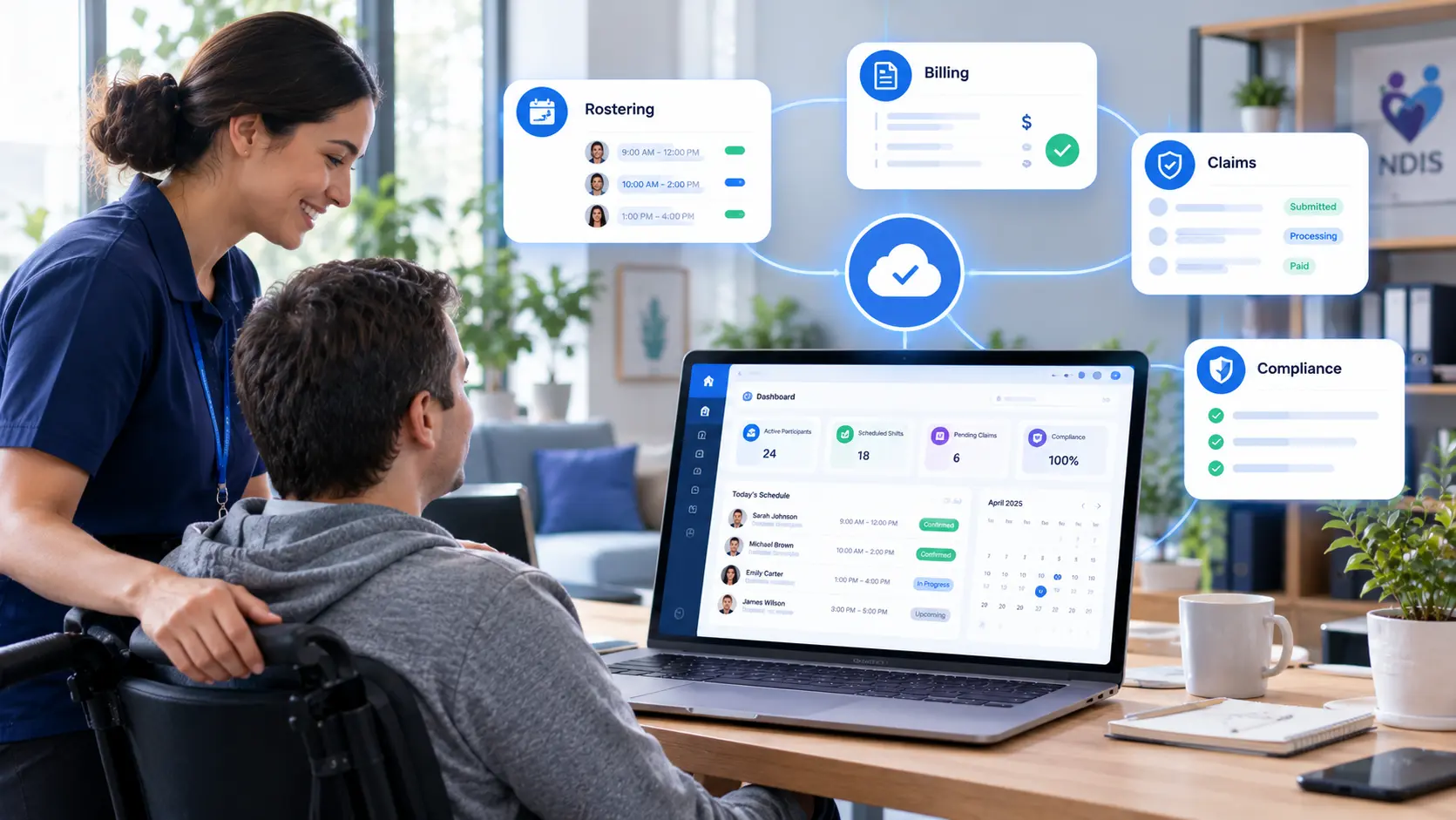
Discover how NDIS provider software connects rostering, billing, claims, and compliance in one system, helping disability service providers reduce manual work and streamline daily operations.
Here is a hypothetical example. A disability support provider runs rosters in one spreadsheet, tracks participant notes in a second tool, prepares invoices in a third, and keeps policies in shared folders. A support worker calls in sick on Friday night. The coordinator finds a replacement by phone, updates the roster by hand, and forgets to change the billing record. Two weeks later, a claim is rejected, and the next audit is a month away.
NDIS provider software exists to end that cycle. A connected system keeps rostering, records, billing, claims, and compliance in one place, so a change in one area flows through to the rest. This guide explains what that software needs to cover, where off-the-shelf tools fall short, and what a real two-platform build looked like.
Why Fragmented Tools Hold NDIS Providers Back
NDIS and aged-care providers carry two heavy workloads at the same time. One is day-to-day operations: shifts, participant records, invoices, and claims. The other is compliance: policies, staff training, signed forms, and audit evidence. When each workload sits in separate tools, three problems follow:
• Data gets entered twice. A shift change has to be updated in the roster, the timesheet, and the invoice separately, and every manual step invites errors.
• Billing mistakes reach claims. Rates that do not match the NDIS price guide lead to rejected or delayed payments.
• Audit evidence is scattered. Training records, signed forms, and policy versions live in different folders, so audit preparation turns into a search project.
What NDIS Provider Software Should Cover
A strong platform brings operations and compliance together. Six areas matter most.
1. NDIS Rostering Software
NDIS rostering software matches support workers to participants, shifts, and locations. Conflict checking is essential, since it stops one worker from being booked in two places at once. Drag-and-drop editing and reusable weekly templates speed up weekly planning.
2. Time and Attendance
GPS-verified clock-ins prove that a worker arrived at the right location. Offline sync matters too, since support workers are regularly in homes or regional areas with weak mobile signal.
3. NDIS Billing and Claims
NDIS billing and claims depend on accurate rates. The system should price every service against the NDIS price guide automatically, then produce claim files in a format that fits the claiming process. PRODA-compatible exports remove the manual step of rebuilding claim data by hand.
4. Participant and Family Visibility
A read-only portal for families and plan managers that shows schedules, invoices, and care notes builds trust and cuts down on routine phone calls.
5. Specialized Support Modules
Supported Independent Living, Specialist Disability Accommodation, and Behaviour Support each carry their own records, schedules, and reporting needs. A care management platform that handles these in dedicated modules avoids side spreadsheets.
6. NDIS Compliance Software
NDIS compliance software manages policy documentation, staff onboarding, training records, and signed forms. Every action should land in a full audit trail, so the evidence for an audit already exists rather than being assembled the week before.
Off-the-Shelf Tools vs a Custom Platform
Generic disability support software handles common tasks well until a provider's services or reporting needs move beyond the template. Four signs point toward a custom build:
• Staff keep spreadsheets alongside the main system to fill gaps
• Specialized services such as SIL or Behaviour Support do not fit the standard modules
• Billing, payroll, and compliance tools do not share data
• The provider runs multiple sites or service lines that need separate roles and permissions
Custom enterprise software shaped around real workflows removes those gaps and grows with the organization instead of forcing workarounds.
How AI Supports NDIS Audit Readiness
Compliance work produces a steady stream of questions: which policy covers a specific situation, whether a new worker has finished required training, and where a signed consent form is stored. An embedded AI assistant answers these in plain English by drawing on the provider's own policies and records.
Built carefully, AI compliance assistants take over administrative work that would otherwise fall on a compliance officer. NDIS audit readiness then becomes an everyday state rather than a last-minute scramble. The assistant supports staff judgment, while final decisions on compliance and participant care stay with people.
A Real Example From the Field
Enorness built CareConnect, a set of two connected care platforms for NDIS and aged-care operations. The starting point was the pattern common across the sector: operations and compliance running on fragmented tooling.
The two projects started six days apart, and each ran on a twelve-week delivery timeline. Shared assumptions about tenants, roles, and data structure kept both platforms aligned from the start.
The NDIS Care Management Platform includes 14 modules across web and mobile. It covers rostering with conflict checking, drag-and-drop editing, and reusable weekly templates; billing against the NDIS price guide; PRODA-compatible claim exports; and GPS-verified time and attendance with offline sync. A family and plan manager portal gives read-only visibility into schedules, invoices, and care notes. Three additional modules extend the platform to Supported Independent Living, Specialist Disability Accommodation, and Behaviour Support.
The Compliance Portal includes 8 modules covering policy documentation, staff onboarding and training, and a drag-and-drop form builder with e-signature workflows, all logged in a full audit trail. NADO, an AI assistant embedded across the portal, answers compliance questions in plain English and automates administrative work that would otherwise sit with a compliance officer.
The platforms also connect to outside systems. Payroll exports flow to standard accounting platforms, and email and SMS notification channels handle shift, compliance, and billing alerts. Usage and adoption metrics were not part of this engagement's scope, so the case study reports what was delivered rather than performance results.
Mobile Access for Support Workers
Support workers spend their days in the field, so the worker app is where shifts, clock-ins, and notes happen. Mobile app development for this setting needs offline storage, simple screens, and fast sync once a connection returns.
Automating the Repetitive Work
Much care administration follows clear rules. Shift reminders, expiring training alerts, missing timesheet follow-ups, and invoice runs can all run on schedule. Workflow automation handles these steps in the background, so coordinators focus on exceptions instead of routine chasing.
Reporting That Leadership Can Trust
With one shared data structure, reporting becomes reliable. Leaders can see unfilled shifts, claim status, training completion, and compliance status in one view. Data engineering and analytics turns that connected data into dashboards that support funding, staffing, and quality decisions.
Security and Privacy Requirements
Participant records include health, disability, and family information, so security belongs in the design from day one. Role-based access, encryption, and audit logs protect that data. The same principles behind compliant healthcare software development apply here, adjusted for Australian privacy obligations and NDIS requirements.
How to Plan an NDIS Software Build
Five steps keep a build on schedule:
• Map current workflows. Document how each area works today, including every spreadsheet.
• Define roles and permissions. Decide what each user group can see and change.
• Prioritize modules. Start with the areas that cause the most errors.
• Plan integrations early. Confirm price guide, claim, and accounting exports before development.
• Test with real staff. Run pilot shifts and billing cycles before full rollout.
Common Mistakes to Avoid
• Building operations software first and leaving compliance for later, which recreates the original split
• Hard-coding price guide rates instead of making updates easy when the NDIS changes them
• Ignoring offline use, which leaves support workers unable to clock in from weak-signal locations
• Giving every user the same access, which exposes sensitive participant data
How Enorness Builds NDIS Provider Software
Enorness is an AI-native software and digital product partner based in Sheridan, Wyoming. Every care platform project starts by mapping how operations and compliance work today and diagnosing where time, money, and audit evidence slip through the gaps.
The team then designs operations, compliance, and AI support as one connected system, tested with real staff along the way. For any NDIS or aged-care provider ready to replace fragmented tools with one reliable platform, the next step is simple: Book a strategy call.
Frequently Asked Questions
Q1: What is NDIS provider software?
A: NDIS provider software is a system that manages rostering, participant records, billing, claims, and compliance for registered NDIS providers in one connected platform.
Q2: What features should NDIS rostering software include?
A: Conflict checking, drag-and-drop editing, reusable weekly templates, and GPS-verified time and attendance with offline sync for support workers in the field.
Q3: How does software help with NDIS billing and claims?
A: It prices services against the NDIS price guide automatically and produces PRODA-compatible claim exports, which removes manual re-entry and reduces billing errors.
Q4: What does NDIS compliance software manage?
A: Policy documentation, staff onboarding and training, and forms with e-signatures, all logged in a full audit trail for audit readiness.
Q5: Can AI help NDIS providers with compliance?
A: Yes. An embedded AI assistant answers compliance questions in plain English from the provider's own policies and automates administrative work, while people keep final decisions.
Q6: When should a provider choose a custom care management platform?
A: When staff rely on side spreadsheets, specialized services do not fit standard modules, or billing, payroll, and compliance tools do not share data.
Final Thoughts
NDIS provider software works best when operations and compliance share one system. Accurate rostering, price-guide billing, clean claim exports, and a living audit trail cut administration and protect funding. With the right platform in place, providers spend less time on paperwork and more time on the participants they support.

Written by
Mark Louis




Let's Build Something Extraordinary
Turn ideas into intelligent products that drive real business results.