Multi-Tenant SaaS Architecture: How One Platform Serves Many Branded Clients

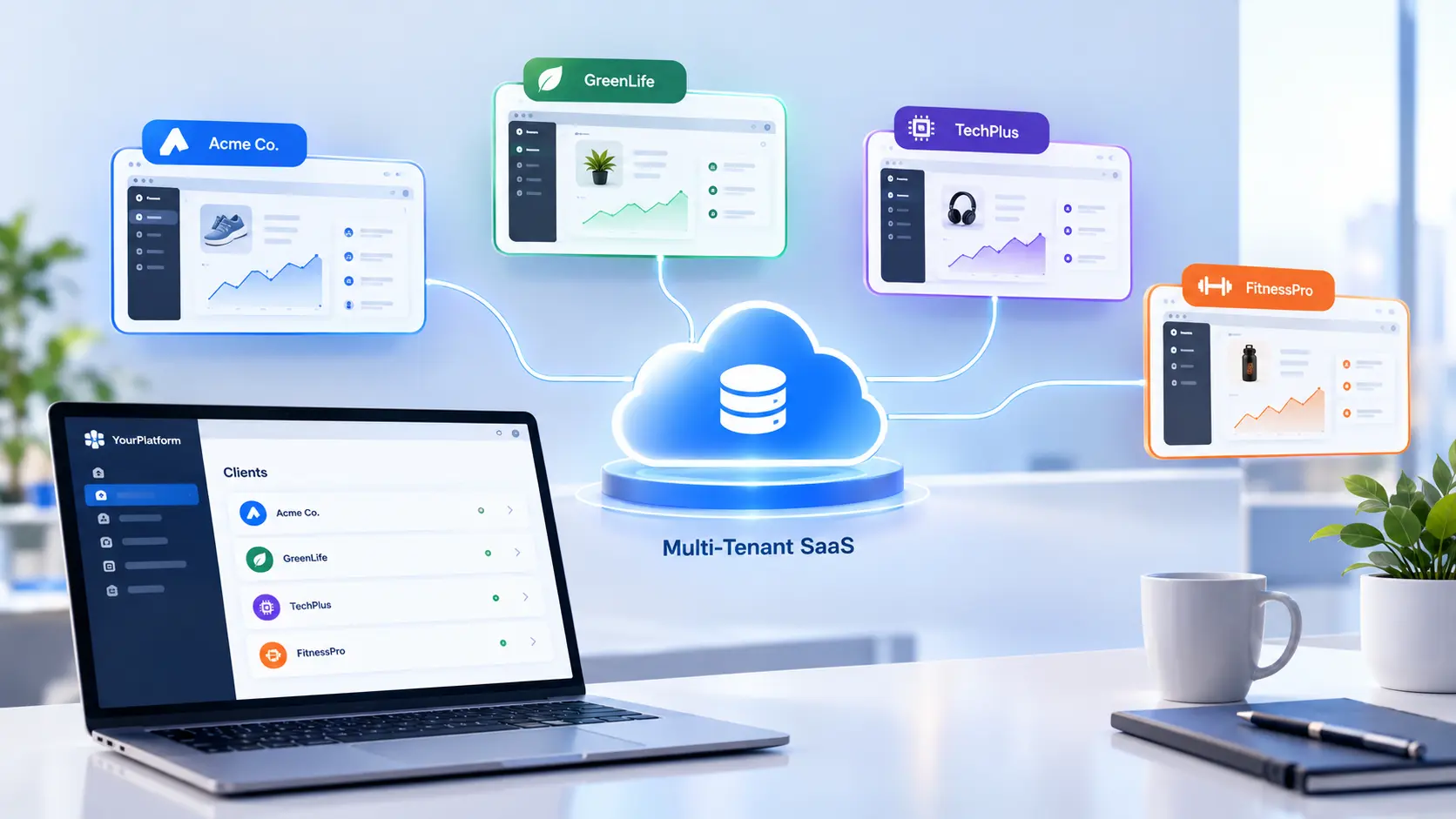
Multi-tenant SaaS architecture enables one software platform to serve multiple clients with separate data, custom branding, and scalable infrastructure. Learn how it works, its key benefits, security considerations, and best practices for building a flexible SaaS platform.
Here is a hypothetical example. A software studio builds an event app for one sports team. It works, and three more teams ask for the same thing with their own logos, colors, and rewards. The studio copies the codebase three times. A year later, it maintains four separate apps, every bug fix ships four times, and a security patch that reaches one app is missed in another.
Multi-tenant SaaS architecture prevents that trap. One platform serves many clients, called tenants, while each tenant keeps its own data, users, and branding. This guide explains how the model works, which design choices matter most, and how a real white-label platform runs several branded experiences on one system.
What Multi-Tenant SaaS Architecture Means
In a multi-tenant system, every client runs on the same application code and shared infrastructure. The platform knows which tenant each request belongs to and shows only that tenant's data, settings, and branding.
The alternative is a single-tenant setup, where each client gets a separate copy of the application, and sometimes separate servers. The right choice depends on how many clients the platform serves, how much each one needs to customize, and how strict their data requirements are.
Single-Tenant vs Multi-Tenant
The single-tenant vs multi-tenant decision shapes cost, speed, and maintenance for years. Four differences stand out:
• Maintenance: Multi-tenant platforms ship one update to every client at once. Single-tenant setups need an update per copy.
• Cost per client: Shared infrastructure spreads hosting and operating costs across all tenants, so each new client costs far less to serve.
• Isolation: Single-tenant setups separate data physically. Multi-tenant platforms separate it through design, which requires careful engineering.
• Customization: Single-tenant copies allow deep custom changes. Multi-tenant platforms offer customization through configuration rather than code changes.
For products that serve many similar clients, such as event apps, ordering platforms, or care management systems, multi-tenancy is the stronger long-term choice.
Three Ways to Separate Tenant Data
Tenant data isolation is the most important design decision in any multi-tenant build. Three common models exist:
1. Shared database, shared schema. All tenants share the same tables, and every row carries a tenant ID. This model is the cheapest to run and the easiest to scale, but it depends on strict query rules so no request ever reads another tenant's rows.
2. Shared database, separate schema. Each tenant gets its own set of tables inside one database. Isolation is stronger, and per-tenant backups are simpler, at the cost of more complex migrations.
3. Separate database per tenant. Each tenant gets its own database. This model offers the strongest isolation and suits clients with strict compliance or data residency needs, but it raises hosting and maintenance costs.
Many mature platforms mix models: shared tables for most clients, and dedicated databases for a few large or regulated ones.
Guardrails That Keep Tenants Apart
Choosing a model is only the start. Five guardrails keep tenant data isolation reliable in daily operation:
• Tenant-aware authentication. Every login resolves to exactly one tenant before any data loads.
• Database-level enforcement. Row-level security policies in the database block cross-tenant reads even if application code has a bug.
• Role-based access control. Role-based access control decides what each user can see and change inside a tenant, such as admin, manager, or staff.
• Tenant-scoped logging. Every log entry records the tenant, so issues and audits trace back to the right client.
• Automated isolation tests. Tests that try to read another tenant's data run with every release.
Per-Tenant Customization Without Code Forks
The promise of a white-label platform is that every client feels like it has its own product. Per-tenant customization delivers that through configuration stored as data, not separate code. Common settings include:
• Branding, colors, logos, and app names
• Navigation and screen layout
• Feature flags that turn modules on or off for each tenant
• Business rules, such as rewards structures, pricing, or approval steps
• Content managed through a CMS by each tenant's own admins
A rules engine and an admin dashboard let tenants adjust much of this themselves, which keeps routine change requests off the engineering backlog.
Tenant Onboarding at Scale
A new client should go live without a new build. Tenant onboarding works best as a repeatable process: create the tenant record, apply branding and settings, invite the first admins, load starter content, and run a final check. Automated tenant onboarding turns those steps into a single repeatable workflow.
Handling the Noisy Neighbor Problem
On shared infrastructure, one busy tenant can slow down everyone else. Rate limits per tenant, queue-based background jobs, and autoscaling protect the rest of the platform. Scalable cloud infrastructure with per-tenant monitoring shows which client drives each spike.
A Real Example From the Field
Spark Compass is Enorness's white-label fan engagement and venue activation platform. Enorness engineered the platform once as a reusable, multi-tenant system rather than as a one-off build.
The white-label layer lets each organization configure its own branding, navigation, rewards structure, and user journeys. A new organization can launch a fully branded engagement experience on shared architecture, so a new client launch does not require a new application built from the ground up. Organizers adjust workflows themselves through the administrative dashboard, a rules engine replaces a fixed feature set, and a CMS-driven architecture lets administrators publish news and event information. In traditional event apps, updating a campaign meant waiting on an app store release cycle.
The white-label fan engagement platform was deployed for SparkSea and Rahal Letterman Lanigan Racing, two organizations in different industries. Both run on this architecture today, each with its own branded experience. Usage and adoption data from these deployments were not captured, since the platform predates the reporting structure used on newer engagements.
The same thinking appears in other Enorness builds. For two connected care platforms delivered in parallel, a multi-tenant control center with role and permission management sits underneath participant records, and shared assumptions about tenants, roles, and data structure meant neither platform had to be reworked.
How to Plan a Multi-Tenant Build
Multi-tenancy is far easier to design in from day one than to add later. A practical plan follows five steps:
• Define the tenant. Decide whether a tenant is an organization, a location, a brand, or a region.
• Pick the isolation model. Match it to client size, compliance needs, and budget.
• List what tenants configure. Separate settings that tenants control from features that stay standard.
• Design roles early. Map every user type and permission before building screens.
• Plan reporting per tenant. Each client needs its own view of activity, and the platform owner needs a view across all of them.
That last step relies on per-tenant reporting built on clean, tenant-tagged data. The broader structural choices are covered in this guide to web application architecture.
Common Mistakes to Avoid
• Copying the codebase for each new client instead of building configuration
• Relying on application code alone to filter tenant data, with no database-level protection
• Hard-coding branding or business rules that later need to vary by tenant
• Skipping per-tenant monitoring, which hides noisy neighbors
• Treating tenant onboarding as a manual project every time
How Enorness Builds Multi-Tenant Platforms
Enorness is an AI-native software and digital product partner based in Sheridan, Wyoming. Every platform project starts by defining the tenant, mapping what each client needs to control, and diagnosing where isolation, cost, and onboarding risks sit.
The team then delivers white-label platform development with tenant isolation, configuration, onboarding, and reporting built in from the first release. For any business ready to serve many clients from one reliable platform, the next step is simple: Book a strategy call.
Frequently Asked Questions
Q1: What is multi-tenant SaaS architecture?
A: It is a design where one application and shared infrastructure serve many clients, called tenants, while each tenant keeps its own data, users, settings, and branding.
Q2: How do single-tenant vs multi-tenant platforms differ?
A: Single-tenant gives each client a separate copy of the application. Multi-tenant serves all clients from one platform, which lowers cost per client and simplifies updates.
Q3: How does tenant data isolation work?
A: Through a shared schema with tenant IDs, a separate schema per tenant, or a separate database per tenant, backed by tenant-aware login and database-level security rules.
Q4: Why does role-based access control matter in multi-tenant platforms?
A: It controls what each user can see and change inside a tenant, such as admin, manager, or staff permissions, on top of the separation between tenants.
Q5: How does per-tenant customization work without separate code?
A: Branding, navigation, feature flags, and business rules are stored as configuration, so each tenant gets its own experience on the same codebase.
Q6: How long should tenant onboarding take?
A: With an automated workflow for setup, branding, admin invites, and starter content, a new tenant launches on the shared platform without a new application build.
Final Thoughts
Multi-tenant SaaS architecture lets one platform serve many branded clients without multiplying code, cost, or risk. Strong tenant data isolation, configuration-driven customization, automated onboarding, and per-tenant monitoring are what make it work in practice. Designed in from day one, it turns every new client into a configuration task instead of a new build.

Written by
Mark Louis




Let's Build Something Extraordinary
Turn ideas into intelligent products that drive real business results.