Dealer Locator for Manufacturers: How Interactive Product Pages Keep Contractors From Leaving

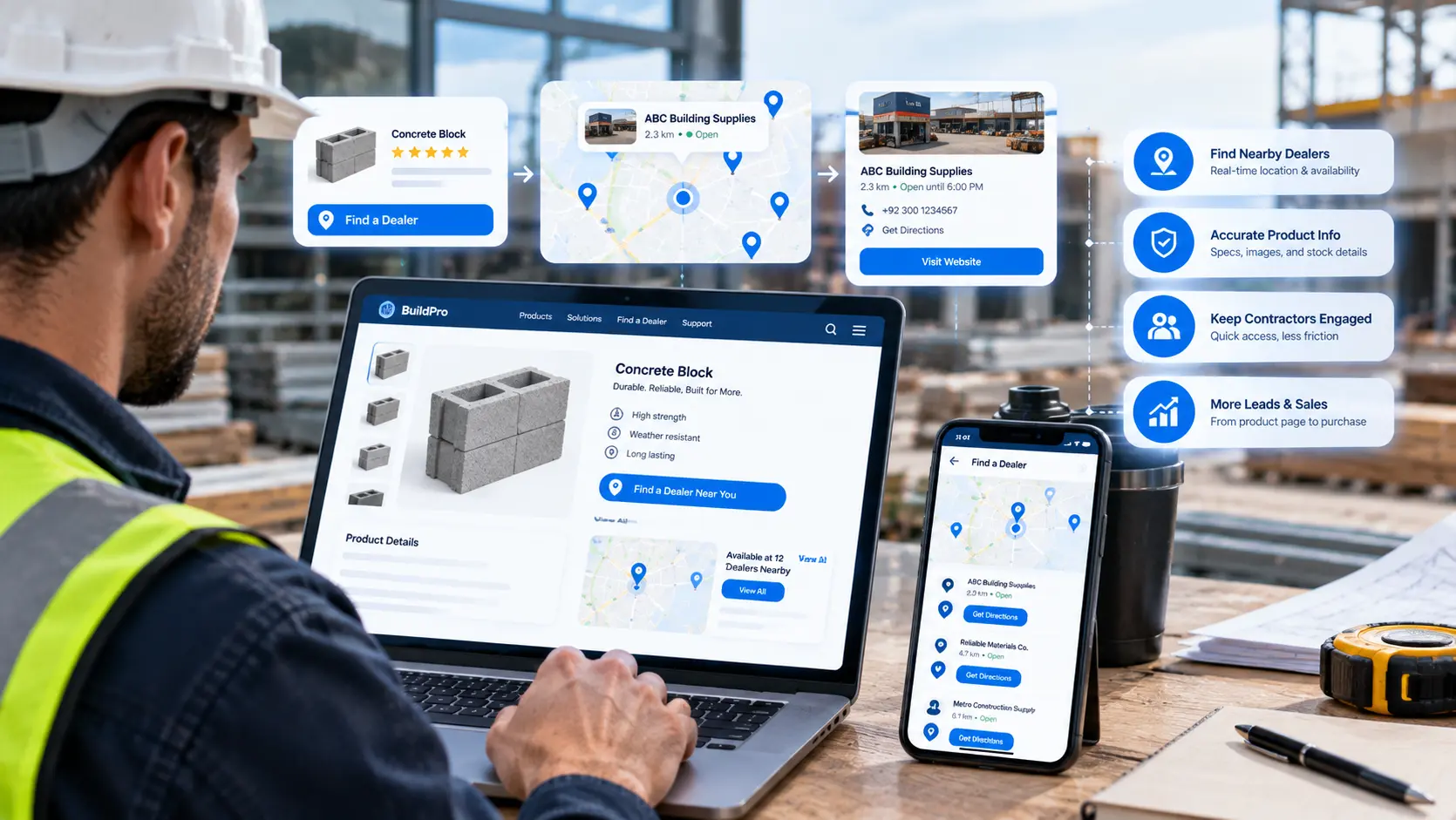
Learn how dealer locators and interactive product pages help manufacturers connect contractors with nearby dealers, simplify product discovery, and keep high-intent visitors from leaving.
Here is a hypothetical example. A roofing contractor is pricing a job on a Tuesday evening. He opens a manufacturer's product page, reads the specifications, and then needs two answers: how much material the roof needs, and which local dealer has it in stock. The page offers neither. He opens a competitor's site in a new tab, finds a calculator and a dealer map there, and places the order with that brand instead.
A dealer locator for manufacturers is one of the simplest fixes for that lost sale. Paired with calculators and live recommendations, it turns a static product page into a tool that answers the buyer's next question before he leaves. This guide covers which tools matter, how to build them well, and what a real manufacturer's live widget suite looks like.
Why Static Product Pages Lose Contractors
Manufacturers that sell through dealers face a gap that direct sellers do not. The product page has to inform the buyer and then hand him off to a dealer, yet most pages stop at the information part. Three problems follow:
• No answer to "how much." A contractor who cannot estimate quantities on the page has to work it out elsewhere, on a site that helps him.
• No path to purchase. Without a dealer finder, the buyer has to search for a local seller on his own, and many never finish that search.
• No guidance while browsing. A visitor looking at one product sees nothing about the accessories, alternatives, or related systems he will also need.
Each gap pushes a qualified buyer off the site at the exact moment he is ready to act.
What Interactive Product Pages Include
Interactive product pages add small tools directly to the page, so visitors get answers without leaving. Three tools do most of the work for manufacturers selling through a contractor or dealer network.
1. A Dealer Locator
A dealer locator shows authorized sellers near the visitor, with distance, contact details, and directions. Strong versions filter by product line, so a contractor only sees dealers that carry the item he is viewing. Placing the locator on every product page, rather than on a separate where to buy page alone, puts the next step one click away.
2. A Coverage Calculator
A coverage calculator turns measurements into a material estimate. A contractor enters the area or dimensions, and the tool returns the quantity needed, along with related components. It saves time on every quote and keeps the buyer on the brand's page while he does the math.
3. Real-Time Product Recommendations
A product recommendation engine suggests related items based on what a visitor is actually browsing. Someone viewing a roofing material can see the matching underlayment, accessories, or alternative product lines. Good recommendations feel like advice from a knowledgeable sales rep, not like an ad.
How These Tools Support Contractor Lead Generation
The three tools work best as one connected system. A contractor checks coverage, sees recommended components, and then finds the nearest dealer that stocks all of them. Each step builds intent, and the final step hands that intent to a dealer.
Every interaction also produces signals. A calculator run shows project size. A dealer search shows location and timing. Contractor lead generation improves when these signals reach the right dealer or sales rep quickly. Automated lead routing can send a dealer search to the matching territory manager without anyone sorting it by hand.
Building a Dealer Locator for Manufacturers That Contractors Use
A dealer locator for manufacturers only helps if its data is right and its results load fast. Five practices separate useful locators from frustrating ones:
• Keep dealer data current. Outdated addresses and closed locations break trust quickly. A regular sync with the dealer management system prevents this.
• Filter by product. Show only the dealers that carry the item on the page.
• Work on mobile. Contractors search from job sites, so the map and results must work on a phone.
• Show useful details. Phone number, hours, distance, and directions belong in each result.
• Respect dealer territories. Results should follow the manufacturer's distribution rules.
These tools belong inside a well-built B2B manufacturer website that connects product data, dealer data, and page content in one place, rather than as disconnected plugins.
Making the Coverage Calculator Accurate
A calculator that gives wrong numbers does more harm than no calculator at all. Accuracy depends on three inputs: correct product specifications, clear measurement instructions, and sensible rounding rules for waste and overlap. Manufacturers should test every calculator against real job estimates before launch, and update it whenever product specifications change.
A Real Example From the Field
Enorness worked with a national manufacturer that sells through a nationwide contractor and dealer network. The product site gave visiting contractors no real-time guidance, and product pages saw contractors abandon without any embedded tool to catch that drop-off.
Enorness embedded a live product widget suite directly into the product pages. It includes interactive coverage calculators, a dealer-locator tool, and real-time product recommendations that respond to what a visitor is actually browsing. Visitors no longer have to leave the site to find a dealer or work out coverage on their own.
The same engagement included a second connected system: a sentiment intelligence platform that tracks contractor conversations across review sites, forums, and social channels, using NLP clustering tuned to roofing industry language. That side of the work is covered in depth in this guide to sentiment analysis for manufacturers.
The case study reports what changed operationally rather than a tracked percentage, since usage and adoption metrics were not part of the reporting built for this engagement. The before and after picture is clear: static product pages with no real-time guidance became pages with embedded calculators, dealer-locator tools, and browsing-based recommendations.
Measuring What the Tools Deliver
Manufacturers planning a similar build should set up measurement from day one, so results are tracked rather than assumed. Useful numbers include:
• Calculator completions per product page
• Dealer searches and clicks to call or get directions
• Recommendation clicks and the products they lead to
• Time on page and exit rate before and after launch
Website behavior analytics brings these numbers into one dashboard, so marketing and sales teams see which products and regions generate the most dealer demand.
Using AI for Smarter Recommendations
Basic recommendations follow fixed rules, such as showing accessories for a main product. AI-driven recommendations go further, learning from browsing patterns which products contractors view together. Built with AI solutions, the recommendation layer improves as more visitors use the site, while the manufacturer keeps control over which products appear.
Common Mistakes to Avoid
• Hiding the dealer locator on a single where to buy page instead of placing it on product pages
• Launching a calculator without testing it against real job estimates
• Letting dealer data go stale after launch
• Building tools that work on desktop but fail on a phone at a job site
• Launching without tracking, which leaves no way to prove value
How Enorness Builds Interactive Product Pages
Enorness is an AI-native software and digital product partner based in Sheridan, Wyoming. Every manufacturer project starts by mapping how contractors research products today and diagnosing where they drop off between the product page and the dealer.
The team then designs calculators, dealer tools, and recommendations as one connected system tied to real product and dealer data. For any manufacturer or distributor ready to keep contractors on the page and send them to the right dealer, the next step is simple: Book a strategy call.
Frequently Asked Questions
Q1: What is a dealer locator for manufacturers?
A: A dealer locator is a website tool that shows a visitor the authorized dealers near them, with contact details, directions, and filters for specific product lines.
Q2: Why should a dealer locator appear on product pages?
A: Placing it on product pages puts the next step one click away, so a contractor who is ready to buy finds a local dealer without leaving the site.
Q3: What does a coverage calculator do?
A: It turns a contractor's measurements into a material estimate, including related components, so quotes are faster and the buyer stays on the brand's page.
Q4: How does a product recommendation engine help manufacturers?
A: It suggests related items based on what a visitor is browsing, such as matching accessories or alternative product lines, much like advice from a sales rep.
Q5: How do interactive product pages support contractor lead generation?
A: Calculator runs and dealer searches reveal project size, location, and timing, and automated routing sends those signals to the right dealer or territory manager.
Q6: What should a manufacturer track after adding product page tools?
A: Calculator completions, dealer searches, recommendation clicks, and exit rate before and after launch, all brought into one dashboard.
Final Thoughts
A dealer locator for manufacturers, a reliable coverage calculator, and browsing-based recommendations turn product pages from brochures into buying tools. Keep the data accurate, build for phones, connect every tool to real dealer information, and measure results from day one. Contractors who get answers on the page stay with the brand all the way to the dealer.

Written by
Abdullah Siddiqui




Let's Build Something Extraordinary
Turn ideas into intelligent products that drive real business results.