Legacy System Modernization: Wrap, Rebuild, or Replace

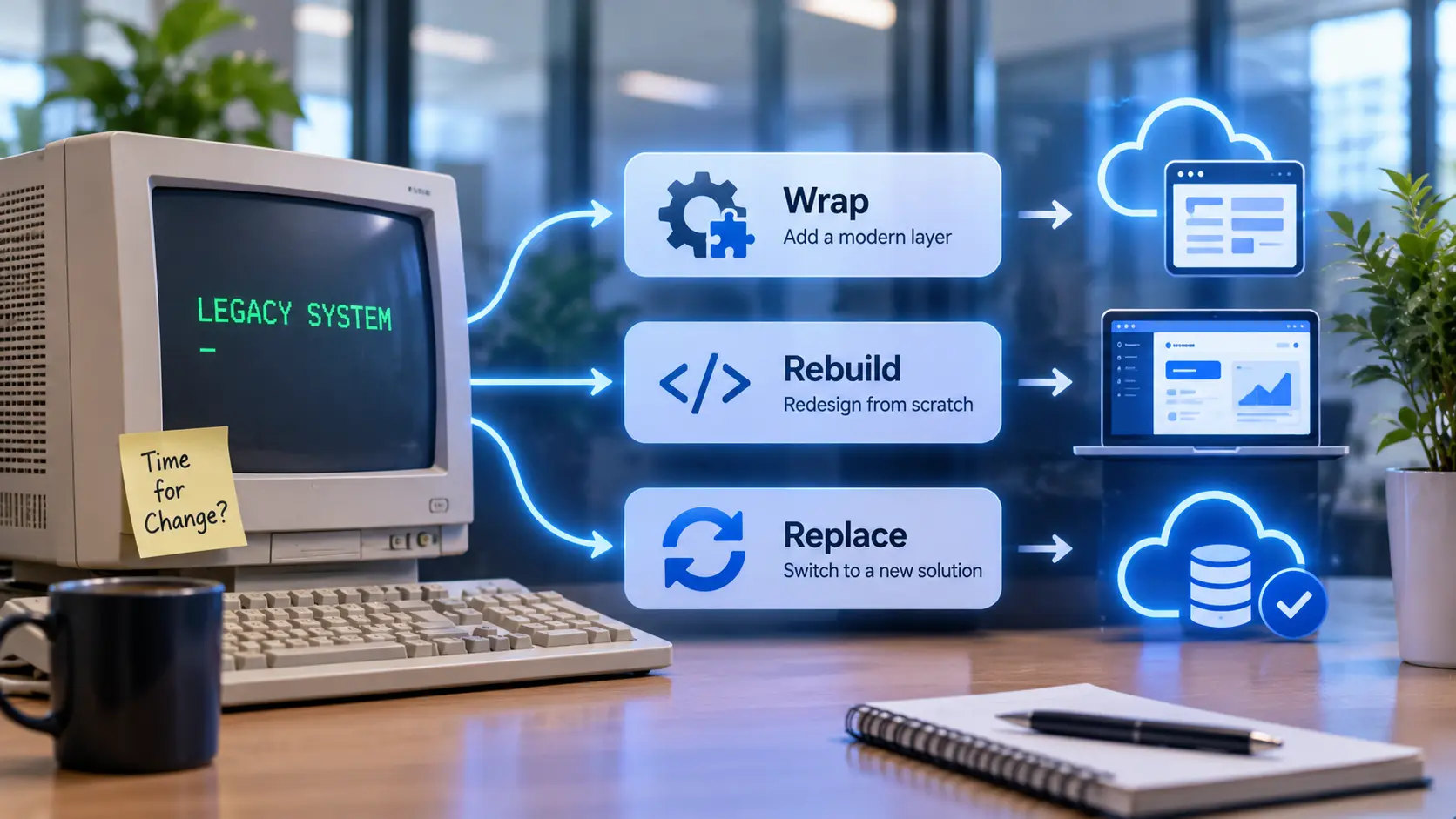
An aging system that still runs the business has three real paths forward: wrap it, rebuild it, or replace it. Here is what actually decides which one fits.
A legacy system rarely fails all at once. It keeps running the invoicing, the inventory count, or the scheduling that the business depends on every day, while quietly becoming harder to maintain: the one person who understood it moved on, the vendor stopped supporting the version it runs on, or it simply cannot talk to the newer tools the rest of the business has adopted since it was built.
Legacy system modernization gets treated as a single decision, replace it or don't, when there are actually three distinct paths, and the aging system itself rarely needs all three applied at once.
The Three Real Paths
Wrapping leaves the core system in place and builds an interface layer around it, usually an API, so newer tools can read from it and write to it without touching the system itself. This is the fastest and lowest-risk path, and it is essentially legacy system integration rather than modernization in the deeper sense: it works well when the underlying logic in the old system is still sound and the real problem is that nothing else can connect to it.
Rebuilding keeps the same functionality but rewrites it on a current stack. This is legacy application modernization in its most literal sense: the business rules stay the same, but the code, the database, and the infrastructure underneath them do not. It costs more and takes longer than wrapping, and it is the right call when the old technology itself, not just its connections, is the actual constraint, such as a language or platform nobody supports or hires for anymore.
Replacing means moving to a different system entirely, often an off-the-shelf product, and migrating the data and workflows into it. This is legacy system replacement, and it makes sense when the original system's logic has itself fallen behind how the business actually operates now, not only its underlying technology.
What Actually Decides Which Path Fits
How much undocumented knowledge is built into the system. A legacy system that has absorbed years of small, unwritten business rules, this customer type always gets a different tax calculation, this report excludes orders under a certain amount, is risky to replace outright, since those rules can be lost in the process. Mapping what the system actually does before touching it, the same kind of mapping discipline used in data engineering, is what keeps that knowledge from disappearing during a rebuild or a replacement.
Whether the logic is sound or just the technology is old. A system doing the right thing on outdated infrastructure is a rebuild candidate. A system whose underlying process no longer matches how the business operates is a replace candidate, since rebuilding it would just preserve a process worth leaving behind.
Integration needs versus functional needs. A legacy system that works fine internally but cannot connect to a CRM, a reporting tool, or a payment processor the business has since adopted is often solved by wrapping it, which is often far cheaper than rebuilding something that was not actually broken.
External deadlines. A vendor dropping support on a specific date, or a compliance requirement with a hard cutoff, sets a timeline the business does not control, which can rule out the slower path even when it would otherwise be the better fit.
The Cost of Doing Nothing
Modernizing legacy software is a cost, but so is leaving a legacy system untouched. The risk rarely shows up as a single dramatic failure. It shows up as integration debt, every new tool the business adopts needs another custom workaround to talk to the old system, and as key-person risk, the knowledge of how the system actually works living in one or two people instead of in documentation anyone else can read.
Both of those costs compound quietly. A business that waits until the legacy system actually breaks is often choosing a more expensive and less controlled version of the same modernization it could have planned on its own schedule.
Starting With an Honest Audit
Before choosing wrap, rebuild, or replace, the more useful first step is mapping what the system actually does, who depends on it, and what would break if it stopped working tomorrow. That map, not a vendor's pitch for a specific replacement product, is what should drive the decision.
This audit step also surfaces whether the business logic inside the legacy system could be preserved through workflow automation built around it, rather than requiring a full rebuild to capture the same rules in a new system.
Where the path does lead to new infrastructure, whether a rebuild or a replacement, the same planning that applies to any cloud and DevOps project applies here too: a phased cutover with a rollback plan, not a single switch flipped on a single day.
Frequently Asked Questions
Is wrapping always cheaper than rebuilding a legacy system?
Upfront, usually, since wrapping leaves the core system untouched and only adds an interface layer. Over several years, the comparison depends on how much the old system's underlying technology keeps costing in workarounds and specialized maintenance.
What affects how long legacy system modernization takes?
A single system with well-documented rules and limited integrations is a smaller scope than one with years of undocumented business logic and many downstream connections, which takes longer to map, test, and migrate safely.
Can a wrapped legacy system be rebuilt or replaced later?
Yes. Wrapping is often a deliberate first step that buys time and reduces immediate integration pressure, while a rebuild or replacement is planned and scoped properly rather than rushed under a deadline.
How risky is replacing a legacy system outright?
The main risk is losing undocumented business rules the old system quietly handled. An audit that maps what the system actually does, not just what it was originally built to do, is what reduces that risk before a replacement starts.
Does every legacy system need to be modernized?
No. A system that is stable, well understood, and not blocking new integrations may not need any of the three paths yet. Modernization becomes worth pursuing when a specific cost or risk, not just the system's age, starts showing up.
What is the first step before deciding which path to take?
An audit of what the system actually does, who depends on it, and what would break if it stopped running. That map is what should decide between wrapping, rebuilding, and replacing, rather than deciding first and mapping later.
Working Out Which Path Fits a Specific System
The audit described above is a reasonable starting point for any legacy system under consideration. Enorness can be reached to talk through what that audit would look like for a specific system.

Written by
Mark Louis




Let's Build Something Extraordinary
Turn ideas into intelligent products that drive real business results.