How to Build an Enterprise Knowledge Base for AI Agents [5-Step Guide]

Here's a scene that plays out in a lot of businesses right now. The pilot demo goes great.
Quick Answer: To build an enterprise knowledge base for AI agents, follow five steps: (1) define the agent's job and map sources of truth, (2) clean, parse, and tag your content, (3) build retrieval with chunking, hybrid search, and reranking, (4) connect agents through MCP with permission-aware access and citations, and (5) evaluate with a golden dataset and keep content fresh.
Here's a scene that plays out in a lot of businesses right now. The pilot demo goes great. The AI solutions agent answers HR questions, pulls product specs, drafts support replies. Then it goes live, and within a week someone gets told the old PTO policy, a sales rep sees a margin sheet they shouldn't, and the agent confidently cites a pricing page that was retired in March.
The model didn't fail. The knowledge underneath it did. Gartner expects organizations to abandon 60% of AI projects that aren't supported by AI-ready data, and that's the gap an enterprise knowledge base for AI agents closes. This guide skips the theory and gets into the build.
What Is an Enterprise Knowledge Base for AI Agents?
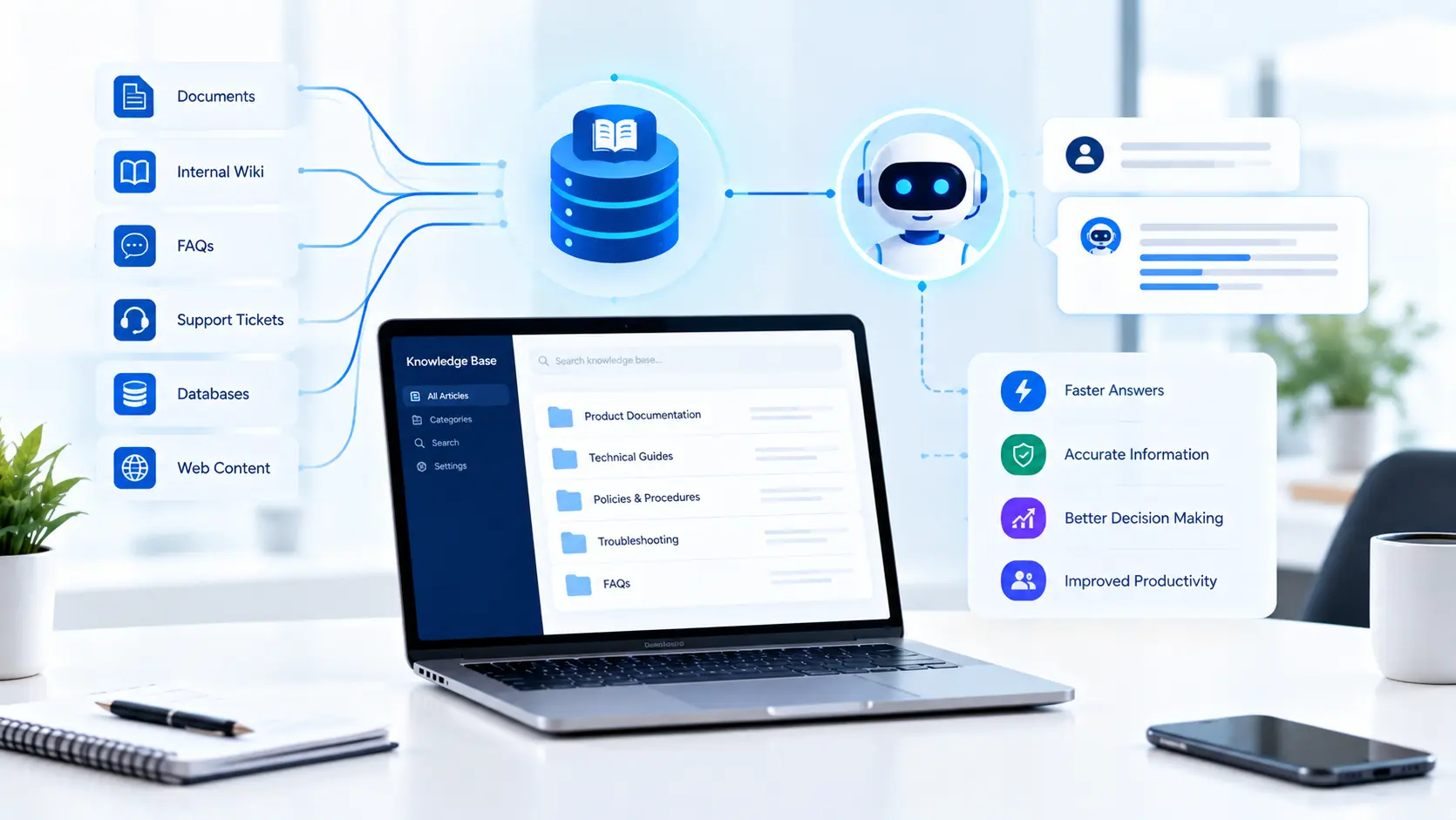
It's the governed layer of business knowledge that AI agents search, read, and cite before they answer or act. It pulls from documents, wikis, tickets, databases, and business apps, then makes that content searchable by meaning, filtered by permissions, and traceable back to a source.
That's different from a traditional help center or old-school AI knowledge management tool. A human-facing knowledge base is written for browsing. An AI knowledge base is built for retrieval: small, well-labeled pieces an agent can find in milliseconds and quote accurately.
Knowledge Base vs Memory vs Fine-Tuning
Teams often blur these three, which leads to the wrong build.
Approach | What it holds | Best for |
Knowledge base (RAG) | Business facts, policies, docs, records | Answers that must be current and cited |
Agent memory | Past conversations and user preferences | Personalization and multi-step tasks |
Fine-tuning | Tone, format, domain language | Style and behavior, not changing facts |
If the information changes more than once a quarter, it belongs in the knowledge base, not in model weights.
Step 1: Define the Agent's Job and Map Your Sources
Start with questions, not documents. Pull 100 to 200 real questions from Slack threads, ServiceNow or Zendesk tickets, and sales calls for the one workflow you're automating first. Then trace where the correct answer to each one lives today.
You'll usually find three kinds of sources:
Unstructured content: PDFs, SharePoint and Confluence pages, Google Drive files, recorded meeting notes.
Structured data: Salesforce records, ERP tables in SAP, warehouse data in Snowflake or BigQuery.
Tribal knowledge: answers that live only in someone's head or in Slack. These need to be written down before any agent can use them.
For every topic, name one source of truth and one human owner. When two documents disagree, the agent can't settle it, and neither can your vector database.
Step 2: Clean and Prepare Content So AI Can Actually Read It
This unglamorous step decides most of your accuracy.
Parse properly. Scanned PDFs, tables, and slide decks break naive text extraction. Tools like Azure AI Document Intelligence, Unstructured, or LlamaParse keep tables and headings intact.
Remove duplicates and expired versions. Old drafts are the number one cause of confident wrong answers.
Tag every document with owner, department, effective date, review date, region, and access level.
Strip or mask PII such as Social Security numbers and patient details before indexing, not after.
It also pays to change how people write. One topic per page, dates written out ("effective January 1, 2026" instead of "this year"), and real text instead of screenshots of text. Teams running a headless CMS already have structured, API-ready content, which makes this step much easier.
Step 3: Build the Retrieval Layer
Most guides stop at "use RAG." The details matter more than the acronym.
Chunking. Split content into pieces an agent can use. A sensible starting point is 300 to 800 tokens with 10 to 20% overlap, split on headings rather than fixed character counts. For long manuals, a parent-child setup works well: search small chunks, then pass the larger surrounding section to the model.
Embeddings and storage. Convert chunks into vectors with an embedding model from OpenAI, Cohere, or an open-source option, and store them in a vector database. Common choices include Pinecone, Weaviate, Qdrant, Elasticsearch, Azure AI Search, and pgvector on PostgreSQL if you'd rather not add another system.
Hybrid search plus reranking. Pure semantic search misses exact terms like part numbers, SKUs, and policy codes. Combine vector search with keyword (BM25) search, then run a reranker such as Cohere Rerank to put the best five or so chunks in front of the model.
Knowledge graphs for relationships. Some questions are about connections: which suppliers feed which product line, or who approves what. A knowledge graph in Neo4j, or an approach like Microsoft's GraphRAG, handles these far better than chunks of text.
Structured data stays structured. Don't turn your sales database into PDFs. Give the agent a governed text-to-SQL tool or API instead, so "what were Q3 renewals in Texas?" hits live numbers.
How these pieces fit together is really a web application architecture decision, and it's worth designing before you pick vendors.
Step 4: Connect Agents Securely
Classic RAG runs one search and hands results to the model. Agentic RAG lets the agent decide which tool to query, search again if the first results are weak, and combine answers from several systems. That flexibility makes access design critical.
Use the Model Context Protocol (MCP). MCP is an open standard, introduced by Anthropic and now supported across OpenAI, Google, and Microsoft tools, that gives agents a consistent way to call your knowledge sources. Build one MCP server per source instead of custom glue code per agent.
Enforce permissions at retrieval time. Sync document-level access lists from SharePoint, Google Workspace, and Confluence, and filter results by the user's identity from Okta or Microsoft Entra ID. The agent should never see what the person asking can't see.
Require citations. Every answer should link to the source document, version, and date.
Log everything. Queries, retrieved chunks, and responses give auditors a clear trail and support SOC 2, HIPAA, and NIST AI Risk Management Framework reviews.
Once agents take actions, not just answer, the knowledge base joins your broader AI automation stack, and action limits should match the risk of each task.
Step 5: Evaluate, Monitor, and Keep It Fresh
You can't improve what you only test by vibes. Build a golden dataset of 100 to 300 questions with verified answers and source documents, and run it every time you change chunking, models, or content.
Metric | What it tells you | Healthy target |
Context recall | Did retrieval find the right source? | Above 90% |
Faithfulness | Is the answer backed by retrieved text? | Above 95% |
Answer accuracy | Is the final answer correct? | Set per workflow |
Citation accuracy | Does the cited source support the claim? | Above 95% |
Stale content rate | Share of docs past review date | Under 5% |
Frameworks like RAGAS, DeepEval, and LangSmith automate much of this with LLM-as-a-judge scoring. Add weekly human review of low-confidence answers.
Freshness is a process, not a feature. Re-index changed documents automatically through connectors, send owners review reminders before content expires, and retire anything nobody claims.
Build vs Buy: Which Path Fits?
Option | Examples | Best when |
Enterprise AI search platform | Glean, Microsoft 365 Copilot, Amazon Q Business | You need broad employee search fast |
Cloud managed RAG | Amazon Bedrock Knowledge Bases, Azure AI Search, Vertex AI Search | You're already committed to one cloud |
Custom build | LangChain or LlamaIndex, a vector database, MCP servers | Agents run core workflows with strict rules |
Most mid-size US businesses end up hybrid: a managed retrieval service underneath, with custom software development for connectors, permissions, and agent logic. A focused single-workflow pilot typically takes 6 to 12 weeks. Enterprise-wide rollouts take several months, mostly because of access control and content cleanup, not AI.
Common Mistakes to Avoid
Indexing everything on day one instead of one high-value workflow.
Treating permissions as an app-layer feature rather than a retrieval filter.
Skipping the golden dataset, then arguing about accuracy with anecdotes.
No content owners, which guarantees the knowledge base goes stale within a quarter.
Frequently Asked Questions
Q1: What is the best way to build a knowledge base for AI agents?
A: Start with one workflow and its real questions, clean and tag the source content, build hybrid retrieval with reranking, enforce permissions at retrieval time, and measure accuracy with a golden dataset before expanding.
Q2: Is RAG better than fine-tuning for enterprise knowledge?
A: For facts that change, yes. RAG pulls current, cited content at query time. Fine-tuning suits tone and format, but facts baked into a model go stale and can't be traced to a source.
Q3: Which vector database is best for an enterprise knowledge base?
A: It depends on your stack. Pinecone and Weaviate are popular managed options, Azure AI Search fits Microsoft environments, and pgvector works well if you already run PostgreSQL.
Q4: How do you stop AI agents from seeing restricted data?
A: Sync source-system permissions into the index and filter every search by the user's identity. The agent should only retrieve what the person asking is already allowed to open.
Q5: How much does an enterprise AI knowledge base cost?
A: A single-workflow pilot often lands in the tens of thousands of dollars, while enterprise rollouts cost more. Content cleanup and integrations usually outweigh model and database costs.
Q6: What is MCP and why does it matter for knowledge bases?
A: The Model Context Protocol is an open standard for connecting AI agents to tools and data. It lets you build one connector per source that any compatible agent can use.
Build Your AI Knowledge Base with Enorness
Enorness builds AI agent solutions on knowledge bases that are clean, permission-aware, and measurable from day one. We handle source mapping, parsing, hybrid retrieval, MCP connectors, and evaluation, so your agents stay accurate as the business grows. Need extra hands? Our dedicated development team model plugs directly into your engineers. Planning for scalable software that grows with your data? Book a free AI knowledge base consultation and we'll map your first use case.

Written by
Mark Louis

Let's Build Something Extraordinary
Turn ideas into intelligent products that drive real business results.