Enterprise Application Development: 6 Phases Every CTO Should Own

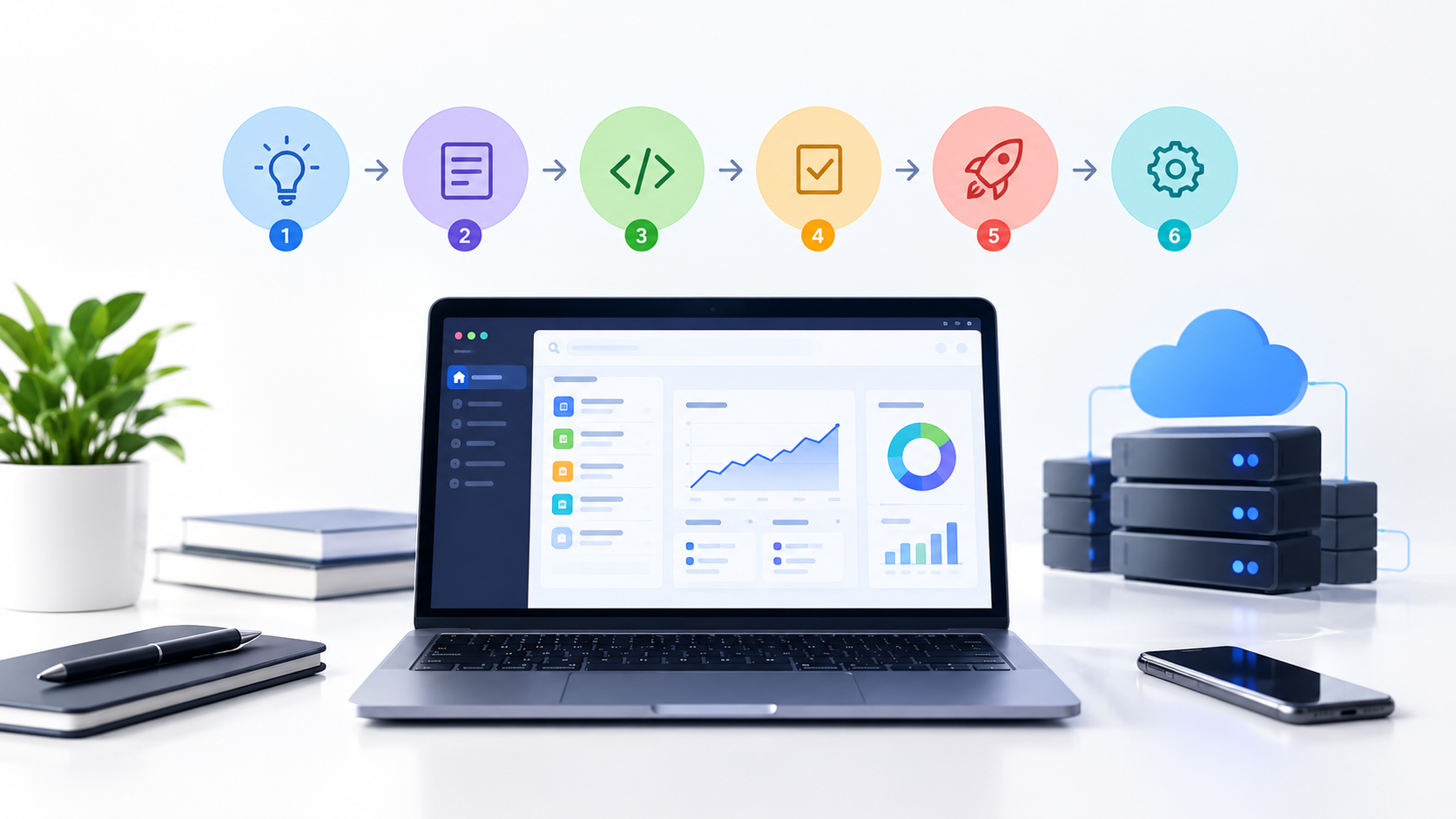
Enterprise application software built to run the core operations of a business at scale, connecting departments, data, and workflows that a consumer app was never designed to handle.
Enterprise application software built to run the core operations of a business at scale, connecting departments, data, and workflows that a consumer app was never designed to handle. Getting one built well is not primarily an engineering problem. It is a governance problem, and the leaders who treat it that way ship systems that scale cleanly, pass security audits on the first attempt, and avoid the six-figure rework projects that come from skipping a phase to hit a launch date.
This guide covers what an enterprise application actually is, the types your business is likely choosing between, the six development phases that separate a system built to last from one you will be replacing in two years, realistic cost ranges, and the architecture, security, and integration decisions that determine whether your investment pays off.
What Is an Enterprise Application?
An enterprise application software system designed to support the operations, data, and workflows of an entire organization rather than a single team or a single user. Unlike consumer software, enterprise application software is built around role-based access, auditability, integration with other business systems, and the ability to scale to hundreds or thousands of internal users without falling over.
The distinction that matters for a leadership team is scope. A departmental tool solves one team's problem. An enterprise application becomes infrastructure the business runs on, which means the cost of getting the architecture, security posture, or integration strategy wrong compounds every quarter it stays in production.
What Are the Types of Enterprise Applications?
Type | What It Handles |
ERP (Enterprise Resource Planning) | Finance, inventory, procurement, and operations in one connected system |
CRM (Customer Relationship Management) | Sales pipeline, customer data, and account history |
SCM (Supply Chain Management) | Logistics, vendor coordination, and inventory flow |
HRMS / HCM | Payroll, benefits, hiring, and workforce data |
Business Intelligence and Analytics Platforms | Reporting, dashboards, and data-driven decision support |
Custom Enterprise Applications | Purpose-built systems for a workflow no off-the-shelf product covers |
Most mid-size and large US businesses run several of these at once, which is exactly why enterprise application integration becomes a first-class concern rather than an afterthought. A new custom application that cannot talk to the ERP or CRM already in place creates a data silo, not a solution.
What Are the Benefits of Enterprise Applications?
Operational efficiency: manual, cross-department processes collapse into a single connected workflow.
Scalability: a properly architected system grows with headcount and transaction volume instead of requiring a rebuild at every growth stage.
Security and compliance: centralized access control and audit logging replace scattered spreadsheets and shadow tools that fail an audit.
Data-driven decisions: unified data across departments turns reporting from a weekly manual export into a live dashboard.
Measurable ROI: reduced manual labor hours, fewer errors, and faster cycle times translate directly into cost savings leadership can track quarter over quarter.
The 6 Development Phases Leaders Must Enforce
This is the framework that matters most. Skipping or rushing any one of these phases is the single biggest predictor of an enterprise application project running over budget, missing its security requirements, or failing to scale once real usage hits it.
Phase 1: Requirements and Architecture Planning
Before a line of code gets written, leadership needs a documented answer to three questions: what systems does this need to integrate with, what is the expected user and data volume in three years, and what compliance requirements apply. Enterprise application architecture decisions made here, monolith versus microservices, cloud-native versus hybrid, are expensive to reverse later. Enforce a written architecture decision record before development starts, not after.
Phase 2: Security and Compliance Design
Security is not a phase you bolt on before launch. Role-based access control, encryption at rest and in transit, and audit logging need to be designed into the data model from day one. For US businesses, this is also where compliance requirements get scoped: SOC 2 for most B2B software, HIPAA for anything touching health data, PCI DSS for payment processing, and CCPA for businesses handling California consumer data. Enforce a compliance requirements checklist signed off by leadership before the build phase begins, not during a pre-launch scramble.
Phase 3: Integration Planning
Map every system the new application needs to exchange data with: ERP, CRM, data warehouse, identity provider, and any legacy systems still running critical workflows. Enterprise application integration usually happens through APIs or a middleware layer, and deciding this upfront prevents point-to-point connections that turn into an unmaintainable web of custom code. Enforce a documented integration map, not a verbal agreement between two engineers, before development begins.
Phase 4: Development and Iterative Build
Development should happen in scoped increments with working software reviewed by stakeholders at each milestone, not a single monolithic build revealed at the end. Enforce a cadence of stakeholder demos, every two to four weeks depending on project size, so architecture or scope problems surface while they are still cheap to fix.
Phase 5: Testing, QA, and Performance at Scale
Enterprise applications fail differently than consumer apps. They fail under concurrent load, with messy real-world data, and at integration points with other systems. Testing needs to cover functional correctness, security testing including penetration testing for anything handling sensitive data, and load testing at the volume the system will actually see, not the volume in the demo. Enforce a testing sign-off gate that includes load and security testing as a hard requirement before deployment, not an optional nice-to-have.
Phase 6: Deployment, Modernization, and Continuous Improvement
Launch is not the finish line. Enterprise application modernization is an ongoing discipline: dependency updates, performance monitoring, and periodic architecture reviews as usage grows well past initial projections. Enforce a defined ownership model for post-launch maintenance before the team that built it moves on to the next project, since an enterprise application without a maintenance owner degrades quietly until it becomes a crisis.
Enterprise Application Architecture: Patterns Leaders Should Understand
You do not need to make the technical call yourself, but you do need to know what your team is proposing and why. Micro-services architecture splits the application into independently deploy-able services, which scales well for large, complex systems but adds operational overhead that is not worth it for a smaller build. A modular monolith keeps the code base simpler while still separating concerns cleanly, and it is often the more sensible starting point for a first enterprise application rather than micro-services adopted prematurely. Cloud-native, API-first design is close to a default requirement now, since it keeps the system integration-ready and avoids the deployment friction of older on-premise architectures.
Enterprise Application Security: What US Businesses Must Get Right
Security failures in enterprise software rarely come from a single dramatic flaw. They come from gaps: an API endpoint without proper authentication, a role permission that was never revoked after an employee changed teams, or audit logs that exist but nobody reviews. Enterprise application security needs to cover encryption at rest and in transit, role-based access control mapped to actual job functions, comprehensive audit logging, and a documented incident response plan.
The compliance requirement depends on your industry and data. SOC 2 Type II is close to a baseline expectation for any B2B software selling into enterprise customers. HIPAA applies the moment protected health information touches the system. PCI DSS applies to payment card data, and CCPA plus related state privacy laws apply once you are handling personal data from California residents, which in practice means most US businesses operating online need to account for it.
Enterprise Application Integration: Connecting Legacy and Modern Systems
Most enterprise application projects are not greenfield builds. They need to connect to an ERP that has run the business for a decade, a CRM the sales team will not give up, and a data warehouse feeding executive dashboards. A well-designed API gateway or middleware layer gives you a single, controlled point for that data exchange instead of dozens of brittle direct connections between systems. Legacy systems without modern APIs sometimes need a dedicated integration layer built specifically to expose their data safely, which is worth budgeting for explicitly rather than discovering mid-project.
How Is an Enterprise Application Developed? The Process in Practice
In practice, the enterprise application development process follows the six phases above, but the pacing depends heavily on scope. A single-department system with one or two integrations might move through all six phases in twelve weeks. A multi-department platform integrating with an existing ERP and meeting SOC 2 requirements typically runs six months to a year, with the security and integration phases taking proportionally more time than the actual feature development.
How Much Does Enterprise Application Development Cost?
Project Scope | Typical Range | What Drives the Cost |
Single-department tool, one or two integrations | $40,000 to $100,000 | Limited user base, contained scope, minimal compliance overhead |
Multi-department platform, ERP or CRM integration | $150,000 to $400,000 | Cross-team workflows, multiple integrations, formal QA and security testing |
Enterprise-scale platform, compliance-heavy, high transaction volume | $400,000+ | SOC 2 or HIPAA compliance, high concurrency, multi-year architecture runway |
The single biggest cost variable is not the feature list. It is the number of systems the application needs to integrate with and the compliance requirements attached to the data it handles. A scope that looks similar on paper can cost twice as much once real integration and compliance work gets factored in.
Common Mistakes Leaders Make on Enterprise Application Projects
Treating security and compliance as a pre-launch checklist instead of a Phase 2 design requirement.
Choosing microservices architecture before the team or the use case actually needs that complexity.
Skipping the integration map and letting engineers wire up connections ad hoc as they go.
Launching without a defined post-launch maintenance owner, then wondering why the system degrades within a year.
Measuring project success by launch date alone instead of the ROI metrics the application was actually built to move.
How Enorness Approaches Enterprise Application Development
Enorness builds enterprise applications through our Enterprise Software Engineering practice, enforcing the same six-phase governance model covered above on every engagement, with architecture and security sign-off built into the plan before development starts rather than retrofitted before launch. Where a project needs it, our Cloud and DevOps Engineering team handles the infrastructure and deployment pipeline, and our Data Engineering and Analytics team covers integration with existing data warehouses and reporting systems.
Our National Manufacturer case study walks through how this framework applied to an enterprise-scale sentiment intelligence platform, including the integration decisions and the compliance requirements the client actually had to meet, not a simplified version of the project.
Ready to Build an Enterprise Application That Scales?
The enterprise applications that hold up under real usage are the ones where leadership enforced the governance, not just approved the budget. Book a Strategy Call with Enorness and we will map your architecture, security, and integration requirements into a phased plan before development starts, so the cost and timeline you get are the ones you actually see at launch.
Frequently Asked Questions
What is an enterprise application?
An enterprise application is software built to support the operations, data, and workflows of an entire organization, not a single team or user. It typically includes role-based access control, integration with other business systems, and the ability to scale to hundreds or thousands of internal users.
What are the types of enterprise applications?
The main types are ERP systems for finance and operations, CRM systems for sales and customer data, SCM systems for supply chain and logistics, HRMS or HCM systems for workforce management, business intelligence platforms for reporting, and custom enterprise applications built for a specific workflow no off-the-shelf product covers.
What are the benefits of enterprise applications?
The core benefits are operational efficiency from connecting cross-department workflows, scalability that supports growth without a rebuild, stronger security and compliance through centralized access control, better data-driven decision-making, and measurable ROI through reduced manual labor and fewer errors.
How is an enterprise application developed?
Enterprise application development follows six phases: requirements and architecture planning, security and compliance design, integration planning, iterative development, testing and QA at production scale, and deployment with an ongoing modernization plan. Skipping or rushing any phase is the most common cause of enterprise projects running over budget or failing to scale.
How much does enterprise application development cost?
Costs typically range from $40,000 to $100,000 for a single-department tool with limited integrations, $150,000 to $400,000 for a multi-department platform with ERP or CRM integration, and $400,000 or more for enterprise-scale, compliance-heavy platforms handling high transaction volume. Integration complexity and compliance requirements drive cost more than the feature list does.

Written by
Mark Louis




Let's Build Something Extraordinary
Turn ideas into intelligent products that drive real business results.